
PB-48
Main Article: dbx
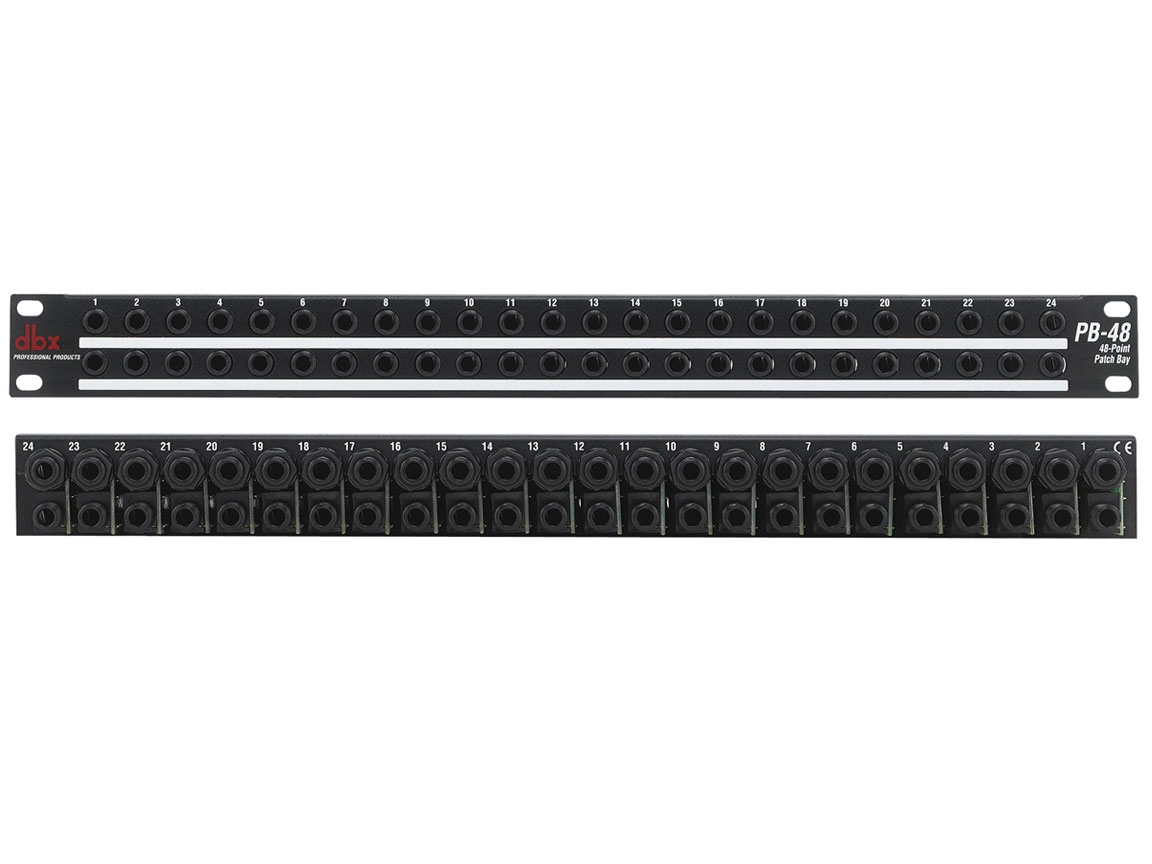
| Number of Panels | 24 |
| Inputs (Balanced or Unbalanced) | 1/4″ TRS or 1/4″ TS |
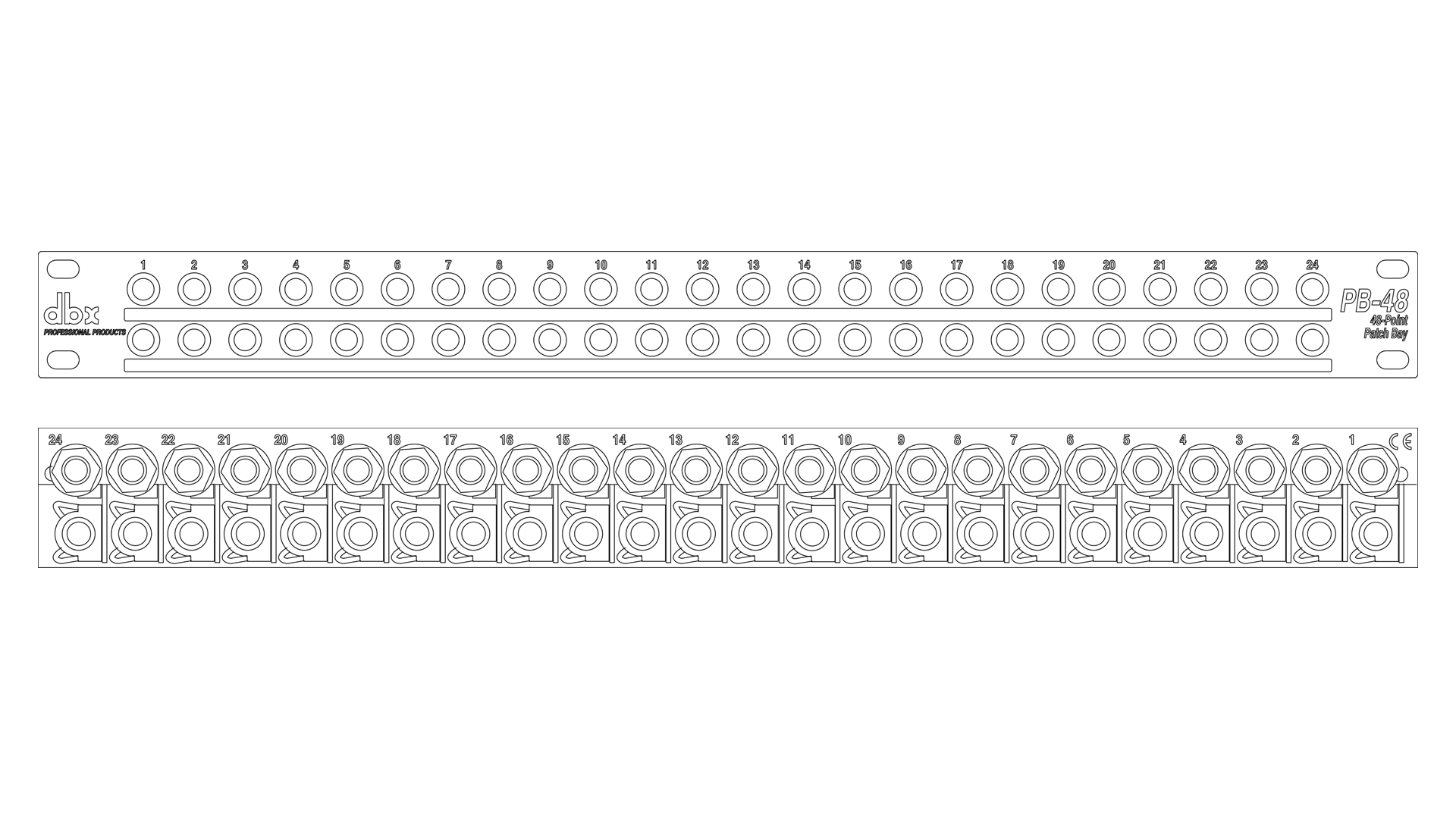
Drawing
Signal Flow
Full-Normalled / Half-Normalled
The PB-48 is shipped from the factory with its circuit boards installed for
half-normalled patchbay operation. Normalled means that audio signal
automatically flows between a vertical pair of patchbay jacks without the
need for patchcords (see Figure 1-A). Normalled patchbays may be halfnormalled
or full-normalled. In the half-normalled PB-48, each rear-panel
upper jack is respectively normalled to the jack directly below it as long
as nothing is plugged into the lower front-panel jack. Half-normalled
means that plugging into the upper front-panel jack does not break the
connection between the upper and lower rear-panel jacks, but splits the
signal to two destinations, while plugging into the lower front-panel jack
breaks the connection (see Figures 1-B and 1-C). Note: A full-normalled
patch bay’s rear-panel connections are broken when plugging into either
front-panel jack.
A simple example of using half-normalled operation: connect a mixer’s
monitor out to one of the PB-48’s rear-panel upper jacks, then connect
the rear-panel jack directly below it to a power amplifier. The “normalled”
signal will flow from the mixer monitor out to the power amplifier, and will
only be broken when a connection is made to the corresponding frontpanel
lower jack.
Half-Normalled [Mult-ed]
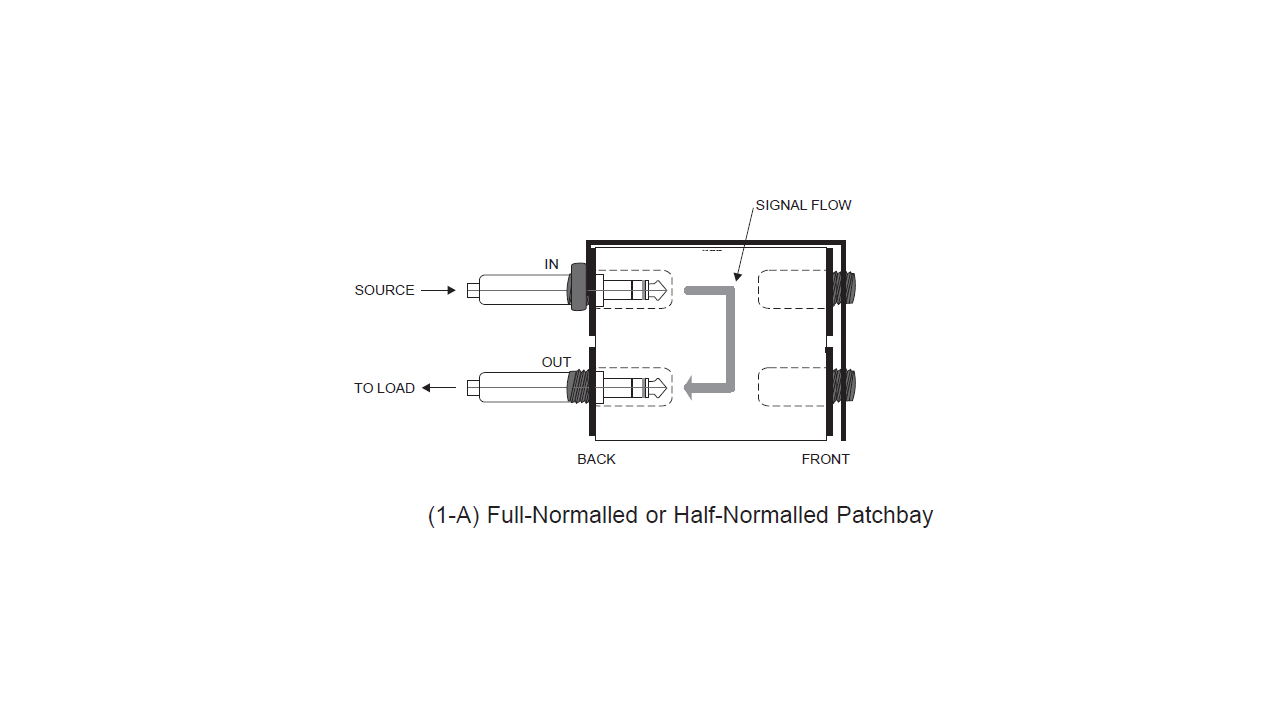
The front-panel upper jacks in a half-normalled/normalled patchbay are
usually considered to be outputs because each front-panel upper jack is
wired directly to its corresponding rear-panel upper jack, where the audio
source is connected (see Figure 1-B). For example, in the half-normalled
situation, connecting from a front-panel upper jack output to the input of a
headphone amp allows you to “listen in” to the signal from the corresponding
rear jack. This setup is sometimes called a Mult-ed patch,
because the patchbay simultaneously routes the rear-panel signal (i.e.,
signal fed to the rear upper jack) to multiple points: one output to the
rear-panel lower jack and one output at the front-panel upper jack. A possible
setup might have a mono mix sent to the rear upper jack, the routed
signal at the lower rear jack fed to the power amp, and the routed signal
at the front-panel upper jack connected to a tape recorder input for a
mono tape mix.
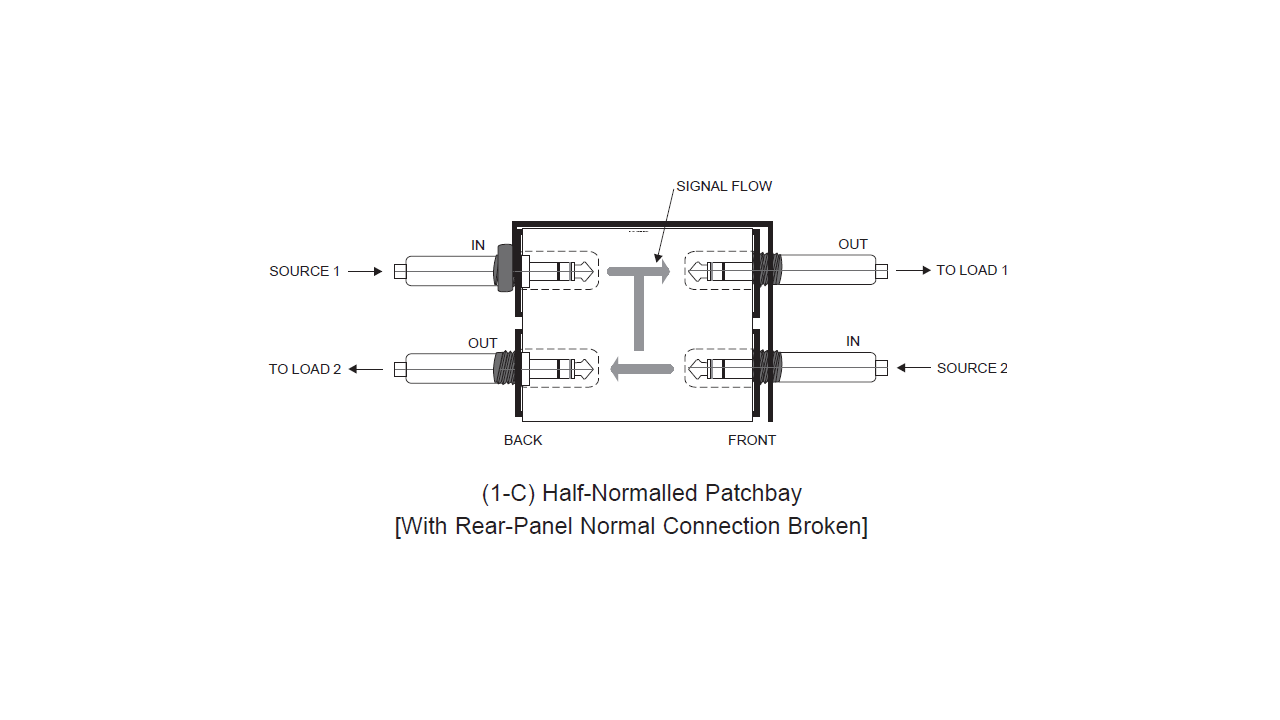
Half-Normalled [With Rear-Panel Normal Connection Broken]
The front-panel lower jacks in a half-normalled/normalled patchbay are
called inputs because each front-panel lower jack is wired directly to its
corresponding rear-panel lower jack which is connected to an equipment
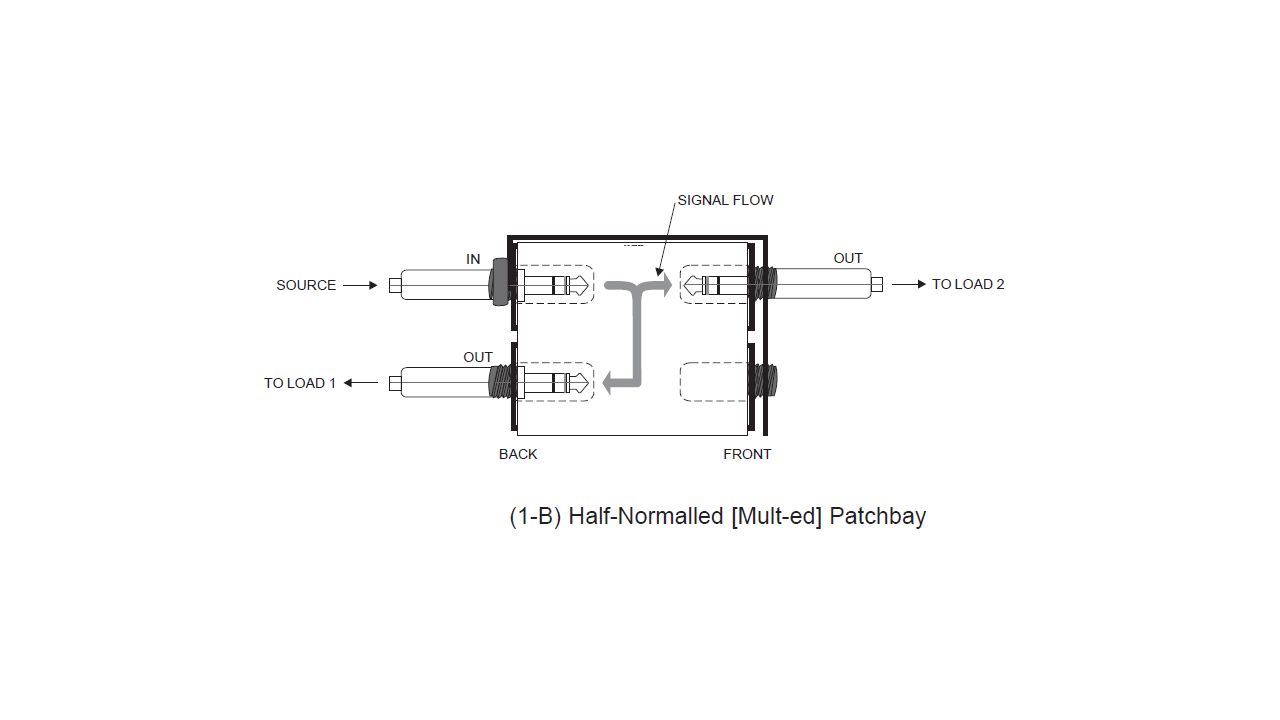
input. Plugging into a front-panel lower jack interrupts the signal fed from
the corresponding rear-panel upper jack and provides a new input source
to the rear-panel lower jack (see Figure 1-C). For example, inserting a
DAT recorder signal into the front-panel lower jack routes the tape signal
directly to the corresponding rear-panel lower jack. Note, however, that
the front-panel upper jack retains the signal from the rear-panel upper
jack.
The front-panel lower jack input can also be used to alter its corresponding
rear-panel upper jack signal when the board assembly is correctly
patched to a signal processor (e.g., an equalizer, compressor, gate, etc.).
Start with a mixer and amp connected to one vertical pair of the patchbay’s
rear-panel jacks, as described before. Then, connect the frontpanel
upper patchbay jack (which has the mixer’s output signal) to the
processor’s input, and connect the processor’s output to the front-panel
lower jack input which feeds the amp.
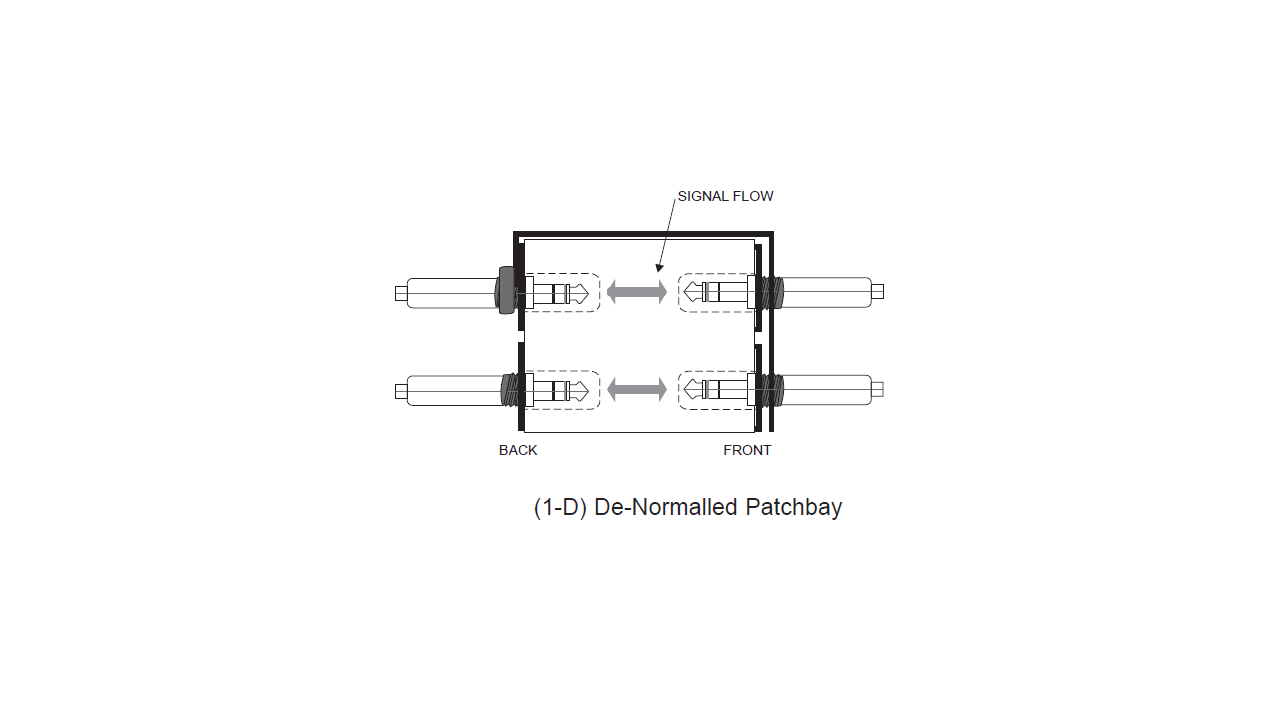
De-Normalled
To connect devices like effects or signal processors directly to the PB-
48’s rear panel jacks, so that they are accessible through a vertical pair
of front panel patchpoints, the PB-48 must be De-Normalized (see Figure
1-D for example and Figure 2 for customization instructions).
In a De-Normalled (or Non-Normalled) patchbay, each front panel jack
is routed directly and only to the corresponding rear-panel jack (i.e., first
upper front to first upper rear, first lower front to first lower rear, etc.). The
purpose for de-normalled patch points is convenience so that equipment
rear-panel jacks are easily accessible. De-normalled operation is useful
with effects devices or other input/output devices for which there is no
“normal” connection between it and other equipment. For example, a
compressor’s inputs and outputs may be patched into the insert point of
any mixer channel or may be used on the master outputs at mixdown
and, therefore, has no “normal” connection. Also, for consistency, the
usual patch bay setup connects outputs to rear-panel upper jacks and
inputs to rear-panel lower jacks, so normalling this vertical pair would
cause an effects device’s output to be connected directly back to its
input. This unintentional normalling is not only useless, but feedback from
output to input can cause the equipment to oscillate and emit a nasty
shriek.
Although a De-Normalled circuit board eliminates the opportunity to
“mult” outputs, the number of possible “straight” signal connections is
increased. For example, to provide access to all the inputs of a 16-channel
mixer, connect the first eight pairs of the patchbay’s rear-panel jacks
respectively to the 16 mixer inputs. Now, plugging a synthesizer into one
of the front-panel patchpoints routes the synthesizer signal directly to the
corresponding mixer input. Note that all of this can be accomplished
using only 1/3 of the patchbay. The drawback, of course, is that any connection
to a de-normalled patch point must be made with a patch cable.
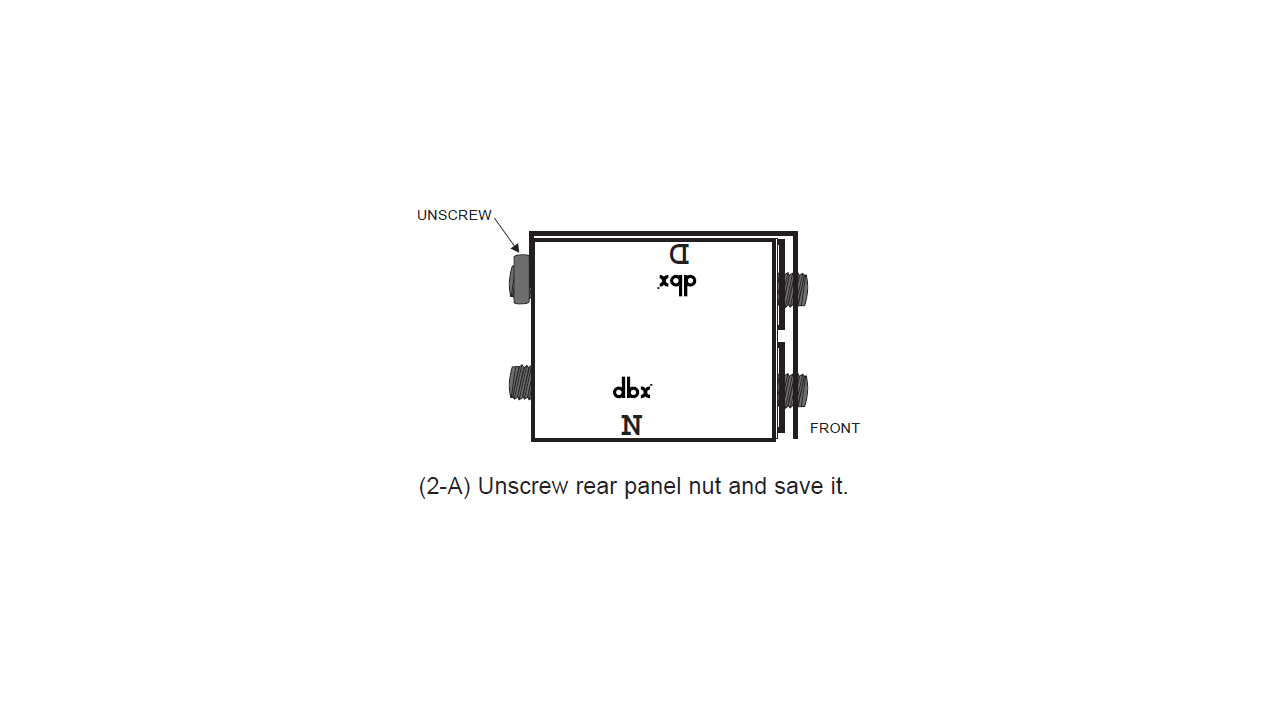
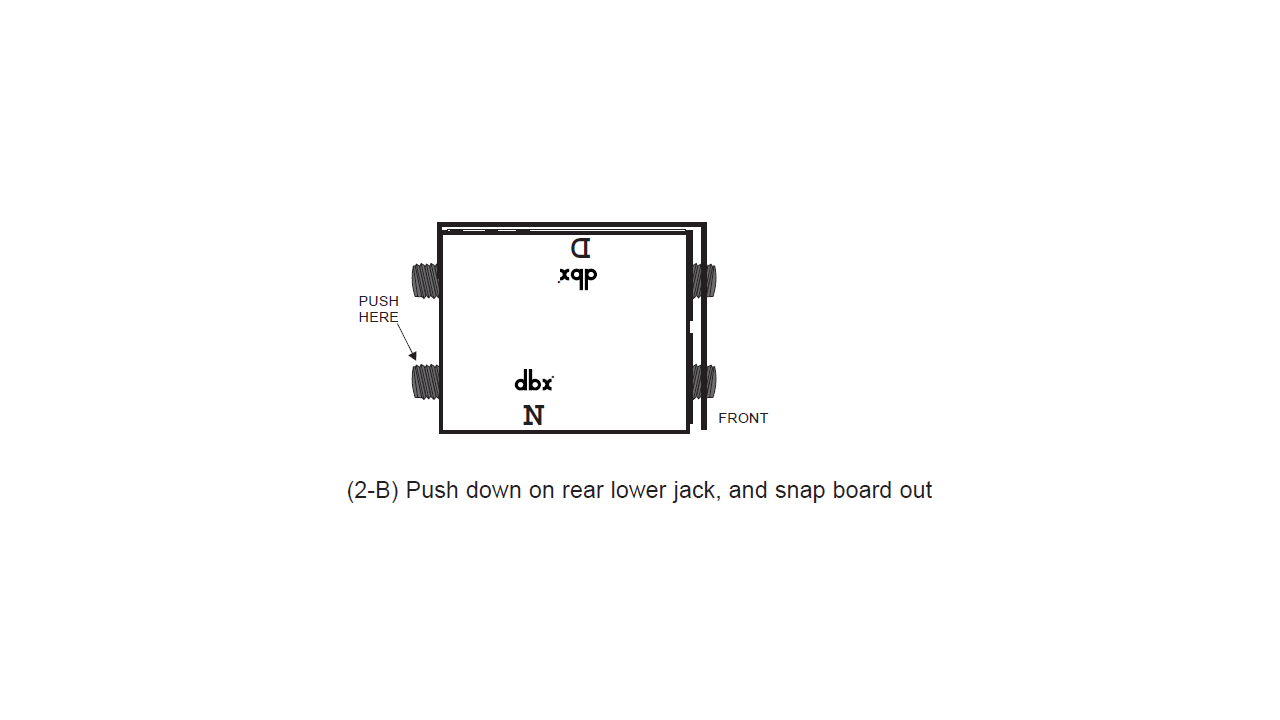
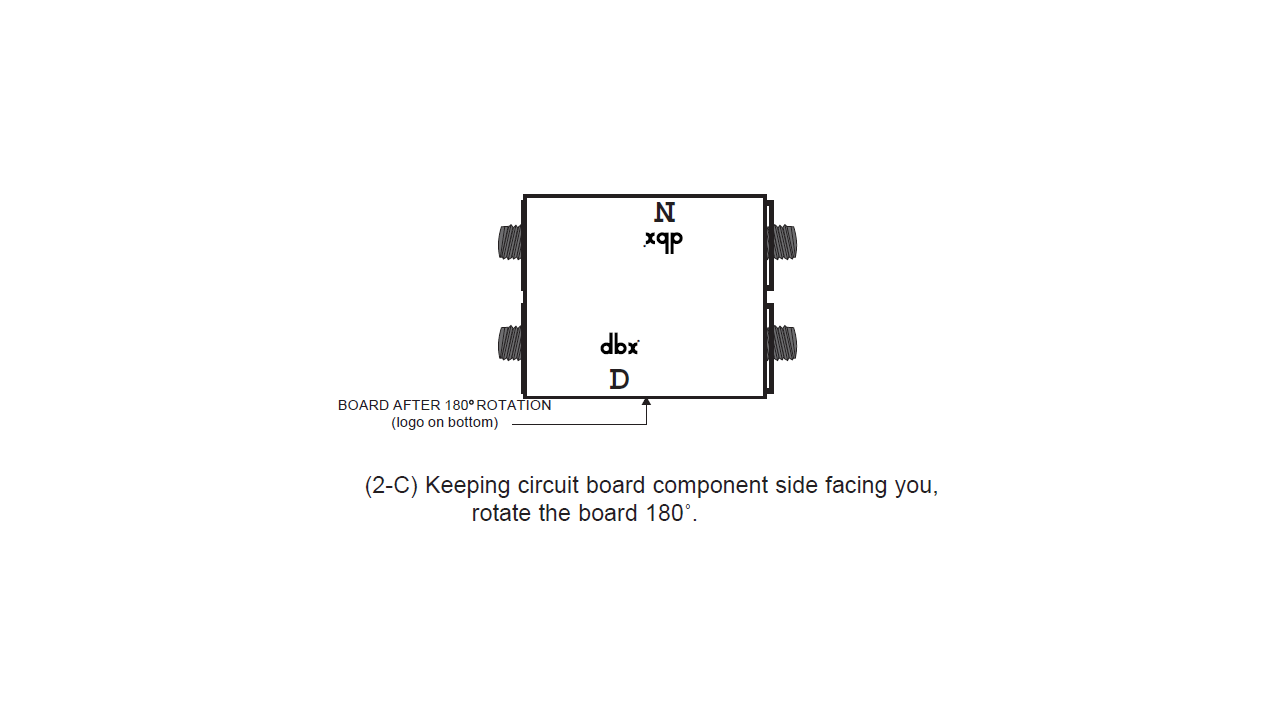
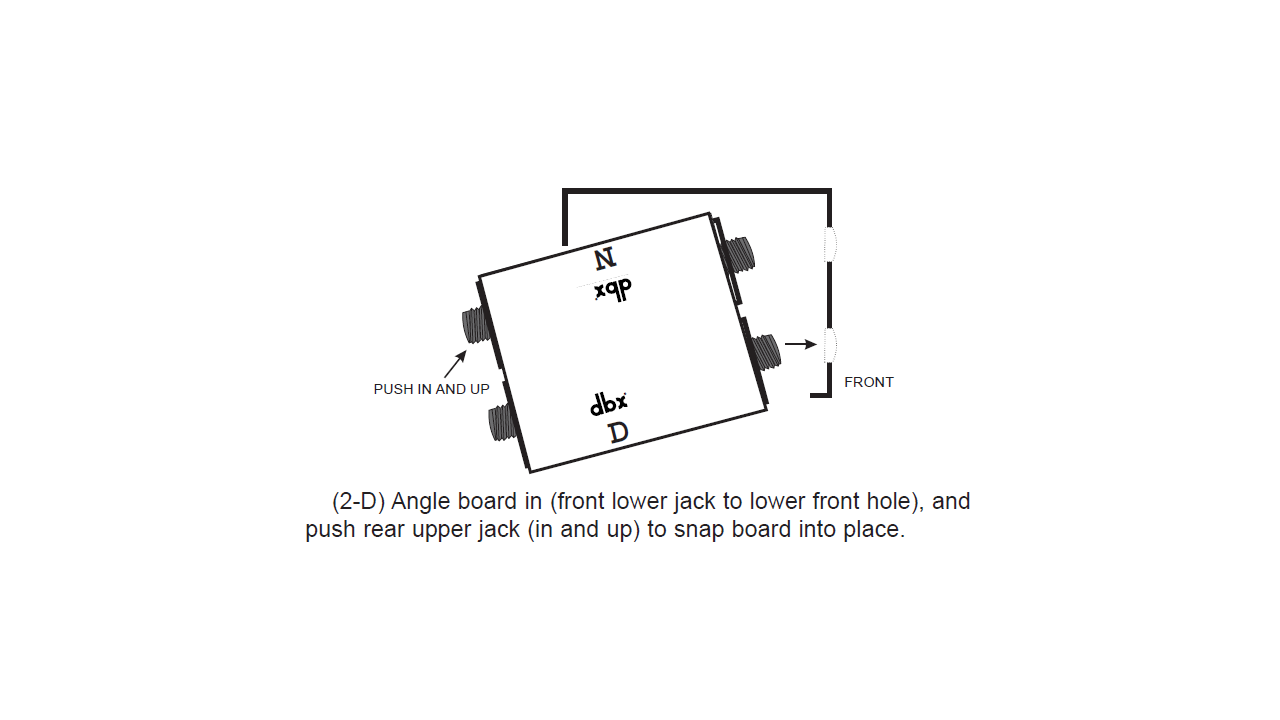
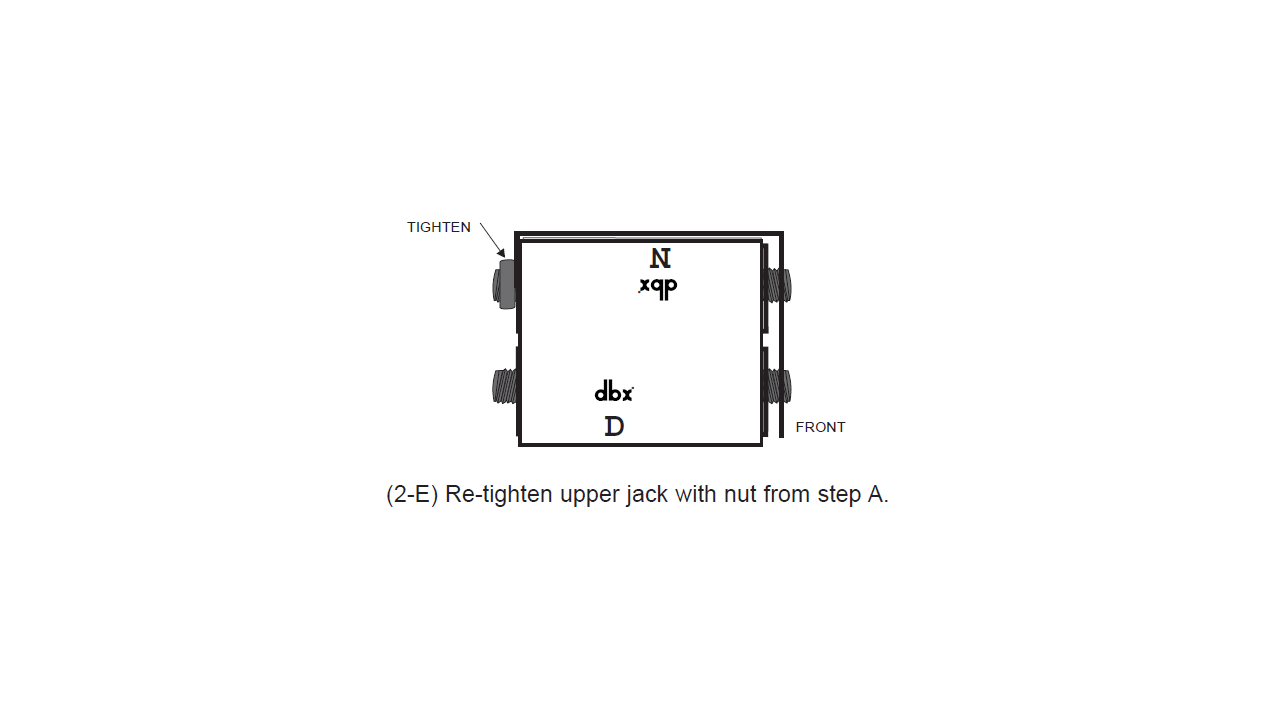
De-Normalize / Re-Normalize Instructions
Note that when a board assembly has been de-normalled,
a large “D: will be visible below the dbx logo at the bottom
of the board assembly. For boards that are in the half-normalled
configuration, a large “N” (for normalled) will be visible
below the dbx logo. These “D” and “N” indicators are
visible at the bottom of each board assembly even when
the boards are secured in the patchbay frame.
Documents
- Owner’s Manual [Mirror]
- CAD Drawing (Front) [.DWG] [.DWG Mirror] [.AI Mirror]
- CAD Drawing (Back) [.DWG] [.DWG Mirror] [.AI Mirror]